Two Small Robots Shoving Each Other in a Circular Arena – A Thrilling and Fun Experience

You might think this is a scene from a video game, but in fact, it’s the live action of the Robo Genius LEGO Spike Prime Robotics Training Course! Our students are taking on the Sumo Bot challenge! In the first phase of this class, the children become young engineers, learning the rules of Sumo Bot competitions from scratch, assembling sensors, and writing basic code to make their robots “see” and “move.” This is not just a fun and surprising process but also a valuable experience in engineering thinking. Let’s walk through the story of this class and feel its charm!

1. Discovering the Problem: The Goal and Challenges of the Sumo Robot

At the beginning of the class, the teacher places a red circle on the robot arena as the “sumo ring” and introduces the rules of the Sumo Bot competition: two robots fight in the circle, and the first one to push the other out wins. The seemingly simple rules immediately capture the children’s interest, but complex problems arise as they think about it. “The robot doesn’t have eyes, how does it know where the opponent is?” “What if the robot itself falls out of the ring?” These questions are the core challenges that need to be solved in the Sumo Bot project. Through discussions, the children gradually understand a key point: the robot must find the opponent and perform a collision action without visual input, while also avoiding falling out of the ring. This challenge sparks the children’s curiosity, and they are eager to learn how to make the robot overcome these problems and achieve its goal.

2. Defining the Problem: How to Make the Robot Detect the Opponent and Respond

Once the challenge was defined, the class moved into the problem-definition phase. The teacher guides the students to think, “How can we make the robot ‘see’ the opponent and respond to its surroundings?” The students actively suggest ideas: some think a “radar” could be installed, while others speculate that sound or light could help. After some guidance from the teacher, they realize that sensors can give robots the ability to perceive. In this phase, the children learn two key issues:

  • Detecting the opponent’s position: The robot needs a distance sensor (its “eyes”) to sense the opponent’s position. When the opponent is close, the sensor detects a shorter distance, allowing the robot to “find” the opponent.
  • Detecting the arena boundaries: To avoid falling out of the ring, the robot needs a color sensor to detect the red boundary. When the robot approaches the edge, it will immediately retreat.
    By breaking down the challenge, the children arrive at a clear problem definition: give the robot the ability to perceive its environment and recognize both the opponent and the arena boundaries. This lays the foundation for the design and programming work ahead.

3. Breaking Down the Problem: Dividing Tasks and Tackling Them One by One

With a clear definition of the problem, the children began to think like engineers, breaking the large task down into several smaller tasks. After discussion, they divided the Sumo Bot’s needs into the following functional modules:

  • Rotating to search for the opponent: Since the opponent’s position is unknown at the start of the competition, the robot needs to rotate in place to “look” around, using the distance sensor to scan the arena. Once it detects the opponent, it will turn and charge.
  • Locking on and attacking the opponent: When the distance sensor detects the other robot, it will immediately stop rotating and charge at the target to attack.
  • Quickly retreating when detecting the boundary: If the robot approaches the arena’s edge, the color sensor detects the red boundary, and the robot will retreat and adjust to avoid falling out.
    By breaking the complex task into specific smaller tasks, the children had a clear plan for the subsequent programming and hands-on operations.

4. Solving the Problem: Building, Programming, and Testing Optimization

Hands-on practice is the part the children look forward to the most. They pick up their LEGO Spike Prime kits and start assembling their Sumo Bot models. Soon, little “sumo wrestlers” begin to take shape, with distance sensors on the front and color sensors on the bottom, ready for action. After finishing the hardware setup, the children move on to the programming phase. Using a block-based programming environment, they design the robot’s control program. For example, when searching in place, the robot continuously rotates and reads sensor data; when it detects the opponent, it stops rotating and charges forward.
During the first test, the robot successfully turned and found the opponent, and cheers filled the room! However, some small problems arose during testing. For example, after a fierce collision, one robot forgot about the arena boundary and nearly fell out. Luckily, the pre-programmed boundary detection routine kicked in, and the robot quickly retreated, avoiding failure. Through repeated tests and adjustments, the children gradually optimized the robot’s performance, enhancing its capabilities.

Let’s take a look at their achievements!

Results and Future Outlook

After the first phase of learning, the children not only mastered basic sensor principles and programming skills but, more importantly, they experienced engineering thinking: when encountering a problem, first observe and discover; after defining the goal, clearly outline the problem; then, through practice and trial-and-error, improve the design, and eventually find a solution.

Next Episode Preview: In the next class, the children will continue to unleash their creativity, adding bulldozer blades, hammers, and other “weapons” to their robots, while further optimizing the algorithms to improve the robots’ searching and attacking efficiency. A more powerful Sumo Bot is about to be born, and new challenges and exciting battles await. Stay tuned for our next classroom story!

Smarter Than You Think! Unveiling the Logic Behind the LEGO Self-Balancing Robot

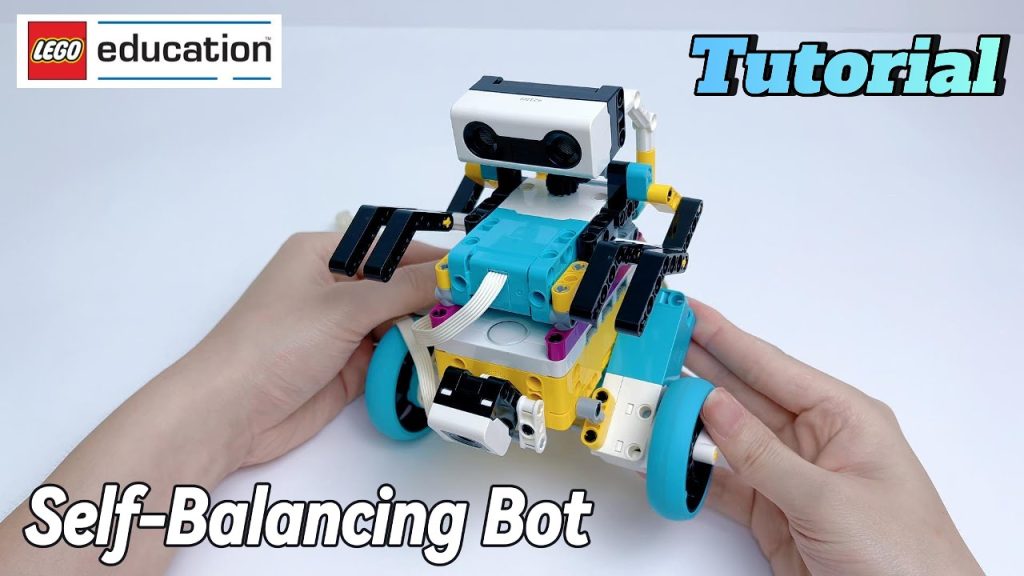
Remember the self-balancing robot from last time? Today, let’s unveil its secrets!

👇

Step 1: Understanding the Principles of a Self-Balancing Robot

A Self-Balancing Robot is a type of robot that can adjust its posture and remain upright at all times. This is mainly achieved through a gyroscope sensor and a PID control algorithm.

  • When the robot tilts forward, its wheels accelerate forward to shift the center of gravity back.
  • When the robot tilts backward, its wheels accelerate backward to regain balance.
  • The robot continuously detects its tilt angle and adjusts the wheel speed to stay upright.

Step 2: Designing Your Self-Balancing Robot

Before building, we will use BrickLink Studio for 3D modeling. This professional LEGO design software helps children plan their robot’s structure and part combinations on a computer, improving building efficiency.

The robot mainly consists of the following components:

  • SPIKE Hub: Acts as the robot’s “brain” and executes control programs.
  • Motors: Drive the robot forward and backward to maintain balance.
  • Gyro Sensor: Detects the robot’s tilt angle in real time.
  • Wheels: The robot moves using only two wheels, adjusting its tilt through control algorithms.

During the design process, children will learn:

  • How robot structure stability affects balance.
  • How sensors detect angle changes.
  • How mechanical design impacts the robot’s movement.

Step 3: Programming the Robot to “Stand Still”

To achieve real self-balancing, we need to program a PID control algorithm.

What is PID Control?

PID (Proportional-Integral-Derivative) control is a classic automatic control algorithm that allows the robot to adjust motor speed in real time to maintain balance.

  • P (Proportional) Control: Adjusts motor speed based on the tilt angle.
  • I (Integral) Control: Eliminates small, long-term tilt errors.
  • D (Derivative) Control: Predicts when the robot is about to fall and reacts quickly.

🔍 Think of balancing a pencil on your palm! 🖐️✏️

  • P Control helps you adjust your hand quickly based on the pencil’s tilt.
  • I Control prevents your hand from slowly drifting to one side.
  • D Control anticipates the falling motion and reacts in advance.

Sounds simple, right? 😌 In our course, children can choose Scratch block coding or Python programming to implement PID control, allowing the robot to balance itself and move forward or backward.

Step 4: Testing & Optimization for Greater Stability

Once the robot is built and programmed, we will conduct multiple rounds of testing to optimize performance.

  • Fine-tuning PID parameters to achieve smoother balance.
  • Observing the robot’s behavior and analyzing how it adjusts its balance.
  • Optimizing the code to improve self-balancing accuracy.

So, how does a self-balancing robot stay upright? The answer is revealed, but this is just the beginning of our tech exploration! 🚀

Through hands-on experience and problem-solving, children grow with every challenge. What other optimizations can they come up with? What even cooler robots can they create?

Join our LEGO SPIKE course and push the boundaries of imagination—where innovation becomes reality! 🤖✨

The Future Is Now: How Robotics Prepares Kids for Tomorrow’s Jobs

The world of work is changing fast, with robotics and automation becoming important part of many industries. According to a recent study by the World Economic Forum, nearly 85 million jobs are expected to be displaced by machines by 2025, but 97 million new roles that require technological skills will emerge. For kids, learning robotics is more than just a hobby—it’s preparing for the future.

Robotics classes teach children how to think like engineers, combining creativity with logical reasoning. For example, programming a robot to perform specific tasks requires trial and error, critical thinking, and problem-solving—all skills that are in high demand across careers. These hands-on lessons make technology exciting and relatable.

Recent news shows that young people are already making an impact in robotics. From designing robots that help the elderly to creating devices that assist in environmental conservation, kids worldwide are proving that age is not a barrier to innovation. These stories inspire others to dream big and explore.

Beyond career readiness, robotics also encourages teamwork and communication. Many projects require collaboration, mimicking how professionals work together in tech industries. Kids not only build robots but also relationships and social skills.

As robotics becomes an important part of society, introducing children to it early gives them a head start. They’re not just learning about machines—they’re learning how to thrive in a tech-driven world.

Why Coding Classes Are the New Playground for Problem Solvers

Coding classes are becoming increasingly popular, but they’re far from a fad. For kids, these classes provide a space to experiment, fail, and succeed in a supportive environment. It’s not just about learning how to code—it’s about developing a problem-solving mindset.
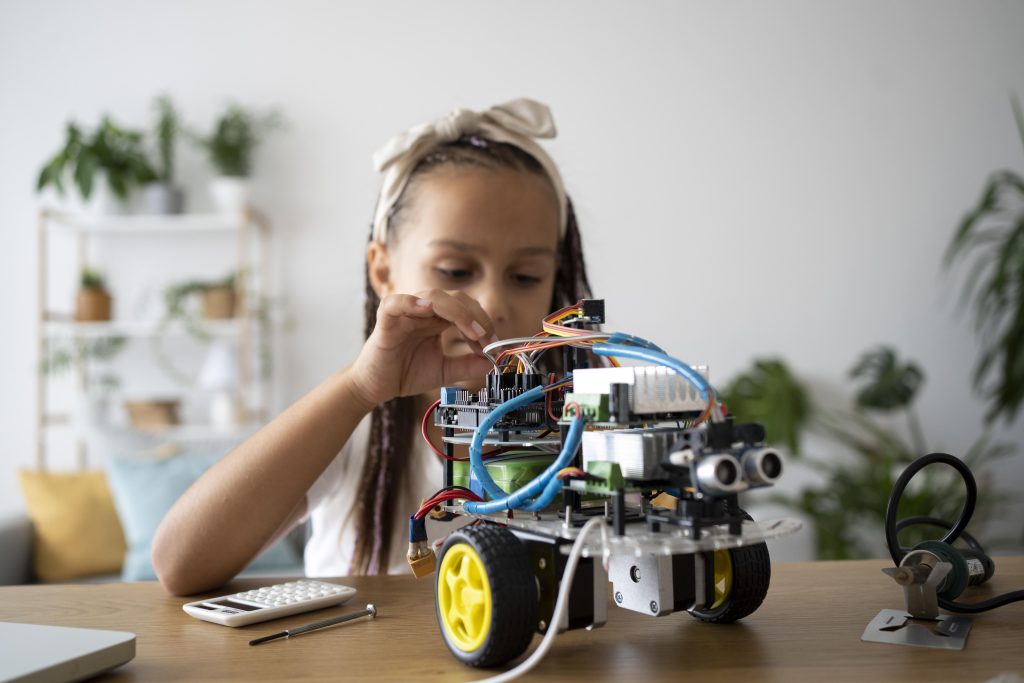
The recent rise of gamified learning platforms like CodeCombat and Minecraft: Education Edition shows how coding can be fun and educational. These platforms teach kids programming concepts while engaging them in interactive challenges and projects. Learning through play has proven to be one of the most effective methods for young minds.

Coding also introduces kids to algorithms, the step-by-step instructions that power much of the technology we use today. Understanding these concepts helps kids see the logic behind the apps and devices they interact with, sparking curiosity and deeper comprehension.

Additionally, coding fosters a sense of accomplishment. Writing a program that works as intended, even something as simple as a game or animation, gives kids a sense of pride and motivation to keep learning.

In a world increasingly driven by technology, coding classes are becoming as vital as traditional education. They equip kids with the tools to think critically and solve problems creatively.

From Screen Time to Skill Time: The Benefits of Coding for Kids

In today’s digital age, kids spend a high amount of time on screens. But what if some of that screen time could transform into skill-building time? Coding offers an excellent way for kids to turn their love of technology into a productive and educational activity.

A recent report from the International Society for Technology in Education highlights how coding helps kids grow computational thinking—a way of solving problems logically and efficiently. This skill isn’t just useful for programming; it’s a foundation for success in many areas, from academics to everyday life.

One of the most exciting aspects of coding is its accessibility. Kids don’t high end equipment to start; all they need is a computer and a beginner-friendly platform. Platforms like Scratch, Arduino or Blockly are designed for younger learners, making coding both engaging and approachable.

Coding also encourages persistence. Kids learn to debug their programs when things don’t go as planned, which teaches them resilience and determination. These experiences can boost their confidence and prepare them for tackling challenges in the real world.

With tech shaping every industry, introducing kids to coding now gives them the tools to understand and create the technology they interact with daily. It’s a skill that’s becoming as essential as reading or math.